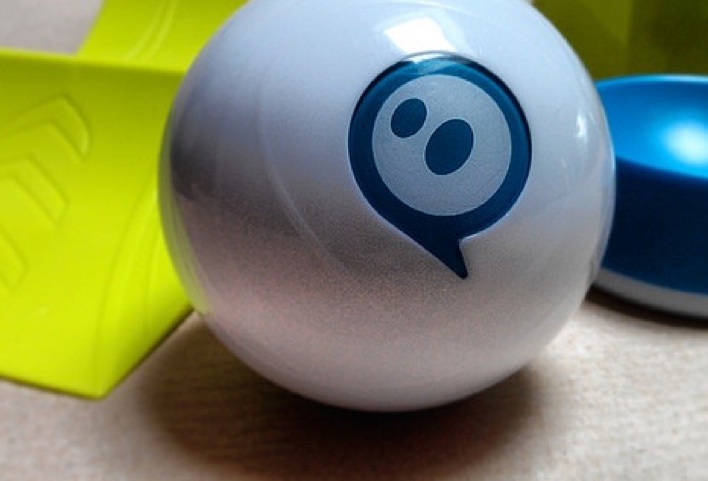
If you’ve been here before you know what Scratch is and its benefits. I was just informed about a Scratch app which plays Scratch projects on the Ipod.
This will interest my students. It also gives me more support to argue for a class set of Ipod Touches
.
If you are new here, Scratch is a drag and drop programming platform in which you can create animations, video games or screen savers. Due to its drag and drop component, no need to worry about syntax errors. Yes, logical errors may arise but this gives our students opportunities for critical thinking.
Now we can develop together on the SMARTBoard as well as locally on our Ipods!!
admin General ipod, Scratch, SMARTBoard
Well, its goodbye to Narrative writing and hello to Procedural. I have decided that my intermediate students are beyond the “make a sandwich and write a how-to” so we are going to use Scratch and Animoto.
However, before anything gets published I may have them copy their text into Wordle and print some fancy art in white and black. Next I may have them colour all the nouns red, verbs blue etc. I would use this as a diagnostic piece. We don’t do much in terms of word study with our writing framework so it would be nice to see some grammar pieces. We may also do it as a class on the SMART Board
How do you use Wordle?
admin General procedural writing, SMARTBoard, wordle
I know I have mentioned the Ipod Touch in the classroom before.
To truly utilize its potential, I suggest jailbreaking it and putting on the free app called TVOut. TVOut will let you output your apps to a TV or projector. A “normal” Ipod will output video with the proper cable. Using TVOut, I plan to try the madlibs app, word study apps, paint apps, google apps etc right from the palm off my hand. What better way to have word study activities ready to go at anytime. What better way to engage students.
admin General ipod, SMARTBoard, writing
Here is a site that accepts text into a word box. Afterward, you choose a background (Venn, climax, list, t-chart, etc.) and let the site turn your words into magnets which you can drag around the screen. Great for comparing / contrasting words, looking for word patterns, etc.
Gives just a a little more to any Word Study lesson on the SMARTBoard.
Link: http://www.triptico.co.uk/flashFiles/wordMagnets/WordMagnets.html
admin General SMARTBoard
Well, recount writing is finished. I read through the final recount pieces and chose a small moment for the students to explode. They thought this idea was great, especially since their recounts were factual. They already have characters and a setting.
So, from their final recount piece, they have to explode a small moment and write a narrative. From here we are going to do voice overs and create stop motion videos using Movie Maker. Stop motion is much like claymation only we don’t use clay. You still use still images to create a video “flip book” and it is much easier to do in SMART Notebook by exporting slides as graphics, instead of mounting a camera and taking hundreds of pictures as is done with claymation.
My goal is to create a Narrative DVD which we can show to the younger grades and parents on student lead conferencing nights.
admin General DVD, movie maker, narrative writing, recount writing, SMART Notebook, SMARTBoard
Well, our class has almost met their goals of 50 books. Once completed, we will be having a Guitar Hero / Rock Band party using the school’s old TVs and the SMARTBoard.
Afterward, I can already tell the quality of the students’ recounts will be better. They will probably write me some persuasive arguments about having another party sooner than later.
So, although fun and games in the moment, GH and RB are physical activities that can always be tied to writing, and its something most kids want to write about!
admin General Guitar Hero, persuasive writing, recount writing, Rock Band, SMARTBoard
What is ThinkQuest?
ThinkQuest is a protected, online learning platform that enables teachers to integrate learning projects into their classroom curriculum and students to develop 21st century skills.
It includes:
* ThinkQuest Projects (formerly Think.com): A project environment where teachers and students engage in collaborative learning
* ThinkQuest Competition: A competition space where students participate in technology contests
* ThinkQuest Library: The world’s largest online repository of student-developed learning projects, visited by millions of web learners each month
* ThinkQuest Professional Development: A comprehensive training offering for educators
The Oracle Education Foundation (OEF) provides ThinkQuest as a free service to K-12 schools globally. No advertising or spam is allowed.
admin General computer, SMARTBoard, students
Here is another fantastic SMARTBoard resource. www.tumblebooks.com. The site is split into 3 sections:
TumbleBookLibrary is an online collection of TumbleBooks – animated, talking picture books which teach kids the joy of reading in a format they’ll love. TumbleBooks are created by adding animation, sound, music and narration to existing picture books in order to produce an electronic picture book which you can read, or have read to you.
TumbleReadables is an online collection of read-along titles for elementary, middle school, and high school students which features adjustable online text and complete audio narration. Sentences are highlited as they are being read and the pages turn automatically.
TumbleTalkingBooks: Your Online Audio Library – is an online audio book library collection for public libraries and schools. A subscription to TumbleTalkingBooks gives your patrons/students UNLIMITED remote access to your audio book collection.
TumbleBooks offers a 30 day free trial. What a great spot to find those mentor texts for your different writing forms.
admin Lesson Ideas Explanation Writing, persuasive writing, recount writing, SMARTBoard
When it comes to writing forms (recount, persuasive, explanatory, narrative) it is important to have a status of the class chart showing where each student is in terms of progress (rough draft, editing, good copy). This is all part of the writing process.
I have had a few conversations over the course of this year. Some teachers feel the chart must always be posted and exist at the front of the room. I argue that it can, and should be, electronic (hence, on the SMARTBoard) and can be visible during those writing tasks only (so as to not overwhelm students working on other tasks as well). This way teachers are able to have multiple statuses (sp?) / states of the class for different writing tasks.
If a class is working on a recount writing piece, but also a Science procedure, isn’t the writing process status of the class relevent to both subjects? With one chart at the front of the room, which project gets posted on the chart? Using a SMART Notebook file allows multiple charts to be visible during specific writing tasks.
I see the arguement from both sides, but still lean towards the eletronic (and multiple) versions.
It is also important to note that many teachers are creating anchor charts on the SMARTBoard which only get posted during those specific tasks and not all the time on chart paper. Why should the status of the class be any different?
admin Lesson Ideas anchor chart, Explanation Writing, narrative writing, persuasive writing, recount writing, SMART Notebook, SMARTBoard
Well, hard to believe I am thinking about September. Next year I hope to start with student profiles (this year was more of an “about me” activity). My goal is to have each student’s thumbnail picture on the SMARTBoard which links to their profile page. I hope this can be used for parents during student lead conferencing (our version of “parent’s night”). I’ve been thinking about twitter profiles and facebook profiles and the basics of web 2.0. I hope that by having students create their own SMART Notebook profile, they are engaged from day 1.
Their profiles can also include some recount writing about summer trips, explanatory writing about summer activities and how they enjoy to learn (think multiple intelligences). A simple Senteo question set is also a great way to start the year and gather quick information about your new class.
I would have students create their own file in the computer lab, save it on a shared drive, and link their picture from my own Notebook file to theirs. Students could also have friends’ lists which link to other profile pages. Basically I plan to build a digital community offline, where each page is like a personal myspace page, colourful and designed by the student.
What a great way to show parents some of the neat classroom technologies!
admin Lesson Ideas facebook, myspace, Recount, SMARTBoard, twitter, web 2.0